Empowerment Technology is one of the contextualized subjects of the senior high school curriculum.
When we hear about technology, we think of computers and high-tech gadgets, but technology comprises almost everything that people create. A computer and a combining bowl are also both human technology inside this sense.
What does it mean to be empowered? It is to provide power to something or someone, to enhance the self actualization (Merriam-Webster Dictionary) or in this situation is to improve your knowledge about a given topic or activity. Empowerment technology is being considered in schools to lay the groundwork for understanding the world of ICT (Information and Communication Technologies), as well as to learn and display basic ICT etiquette. Students and other millennials will be able to comprehend the true worth of technology with the help of Empowerment Technologies; they will be able to see how technology can improve their lives and future.

ICT Philippines- Several International companies dub the Philippines as the ” ICT hub of Asia”. It is no secret that there is a huge growth of ICT related jobs around the country one of which is the call center or BPO ( Business Process Outsourcing Centers)
Web 1.0 statistics Web pages
> statistics also known as the page of stationary page in the sense that the page is “as is” and cannot be manipulated by the users.
> This is the first of the world web evolution
Web 2.0 Dynamics Web Pages
>Coined by Darcy De Nucci on January 1999.
> The evolution of web 1.0 adding dynamics web pages.
> Allow users to interact with the page instead of just reading a page.
> Some Web 2.0 capabilities were present in the days of Web 1.0, but they were implemented differently.
STATIC WEB PAGE– Is known as a flat page or stationary age in the sense that the page is ‘’ as is’’ and cannot be manipulated by the user. The content is also the same for all users that is referred to as Web 1.0
DYNAMIC WEB PAGES -Web 2.0 is the evolution of web 1.0 by adding dynamic web page. The user is able to see website differently than others e.g. social networking site, wikis, video sharing sites.
Features in Web 2.0
> Folksonomy
> Rich user experience
> Participation Concerns
> Long tail
> Software as a service
> Mas participation
Web 3.0 Semantic Web
> The Semantic web is movement led by the world wide web consortium (W3C).
>The W3C standard encourage web developer s to include semantic content in their web pages
> The term coined by the inventor of the World Wide Web. Tim Berners-Lee is also noted the semantic web is a component for the web 3.0.
6 types of Social media
– Social Networks
– Book Marketing Sites
– Social News
– Media sharing
– Microblogging
– Blogs and Forums
ICT Today
– Combine of today’s hardware sofr ware, GUI, of effective communication network.
– We use internet to gather information and communicate different people.
– We use it for network as our tools.
World Wide Web
– System that allows you to acces hyper text document (Documents that the programmers develop to access websites).
– Browsers proposed by Berners Lee 1989
– Before we have specific “Name/Titles” to type in able to access the hypertext fill, we call it Web 1.0 read only web.
– Web 2.0 read and write web (email and social networking sites)
– Today we use Web 3.0 Semantic Executing Web wider web and fast manner.
Mail merge consists of combining mail and letters and pre-addressed envelopes or mailing labels for mass mailings from a form letter. This feature is usually employed in a word processing document which contains fixed text and variables. https://youtu.be/do9ujnZLIC4
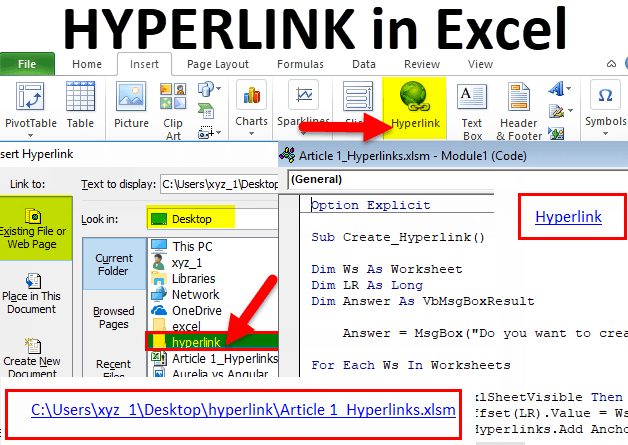
In computing, a hyperlink, or simply a link, is a reference to data that the user can follow by clicking or tapping. A hyperlink points to a whole document or to a specific element within a document. Hypertext is text with hyperlinks. The text that is linked from is called anchor text.
Advantages of mail merge:
It is quick and easy.
It saves time.
You can address a large number of letters without having to do it yourself as mail merge inserts it for you.
Disadvantages of mail merge:
It can be used as a scam.
It runs slowly or doesn’t run at all when more than one software is running.
If it is email merge all recipients will be able to view all data and information.
Online Presentation Tools
Prezi is a web- based tool that allows users to create a presentation using a map layout. They are able to zoom in and out of different items and show relationships from an interesting point of view. Prezi offers three different options for users to select when signing up.

SlideShare is a community for sharing presentations. Individuals or organizations can upload and share PowerPoint, PDF, or OpenOffice presentations. Anyone can find presentations on their topic of interest. Users can tag presentation, and download or embed them into their own websites or blogs.

Google Drive is a cloud-based storage solution that allows you to save files online and access them anywhere from any smartphone, tablet, or computer. You can use Drive on your computer or mobile device to securely upload files and edit them online. Drive also makes it easy for others to edit and collaborate on files.

Dropbox is a cloud storage service that lets you save files online and sync them to your devices. You can use Dropbox links to share files and folders with other people without sending large attachments. Dropbox offers a free plan that includes 2 GB of storage.

Google Maps is a Web-based service that provides detailed information about geographical regions and sites around the world. In addition to conventional road maps, Google Maps offers aerial and satellite views of many places. In some cities, Google Maps offers street views comprising photographs taken from vehicles.

What are online collaboration tools?
Online collaboration tools are the web-based platforms and technologies that help teams connect, no matter where they are. These tried and tested tools allow teams to communicate, share project status, delegate assignments, create seamless feedback loops, and so much more.
Online collaboration on an online environment allows people to generate content, reflection, reviews while making modification processes visible to others.
A team of writers, editors, designers, team manager may work together even though they are located in different areas with the use of collaboration tools. The writers and designers can easily get feedback and approval of the content that they are working on.
For collaborative development of ICT content, there are various collaborative tools that you can use. These collaborative tools allow writers, editors, designers and team managers to take part in collaborative work in real time. Collaborative tools support online collaboration. They are usually stand-alone applications that are “cloud” applications, which means the content is backed up online. You should be online in order to participate in these applications. If you are offline, you may sync up once the Internet is connected. Collaborative tools have many categories like:
Social Chat (ex. Google Hangouts, Skype and Viber)
Social Media (ex. Facebook, Blog and Microblog)
Cloud Storage (ex. Google Drive and Mega)
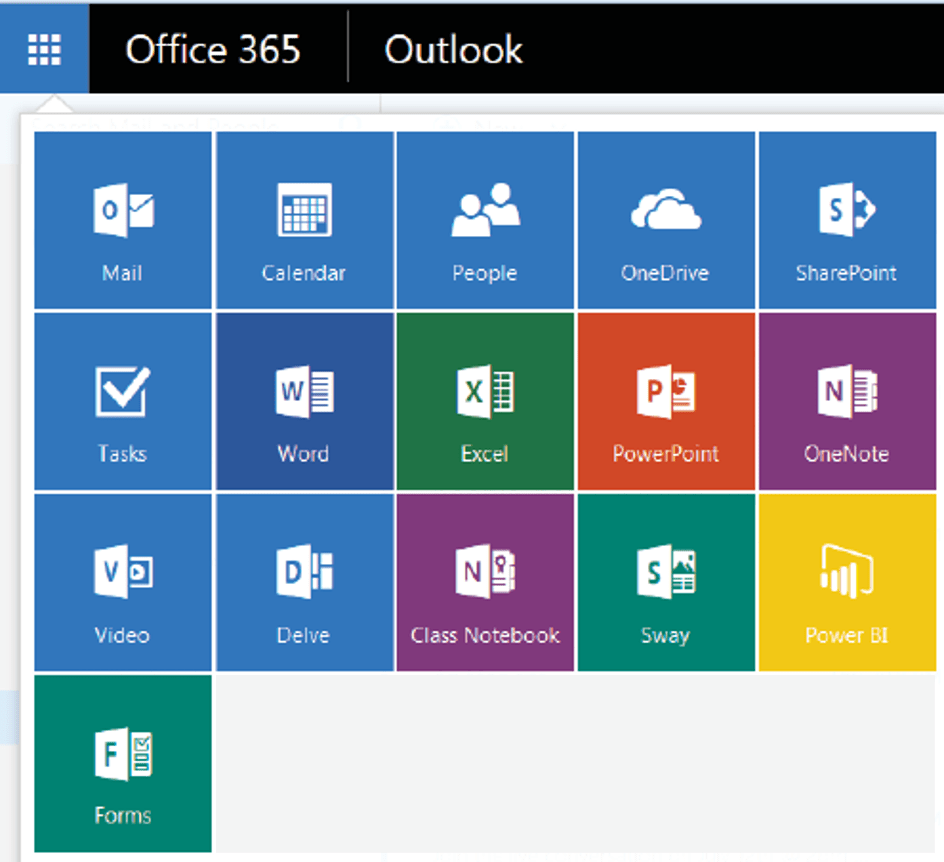
More examples are Facebook Groups, WordPress, G Suite, Google Docs, Microsoft Office Online and Web Portals.
MULTIMEDIA
– Interactive means that the user or audience has control over the program or presentation.
Multimedia Contents
1. Videos. Through video hosting sites, you can take a video and show it to the entire world (e.g., YouTube).
2. Sound, Music, or Audio. If videos are too much for you, you can always record sounds. You can now share your sound bites to the entire world (e.g., Soundcloud).
3. Online games. Game developers now create what is called “browser-based games.” You do not need to install these games to your computer as they run in most updated web browsers (AdventureQuest, Farmville, Candy Crush)
4. Online tests. Online survey forms and tests that automatically display the results when finished (Online IQ and Personality Tests).
5. Courseware. Online courses that simulate the classroom online (eg, E-learning Courses using a Learning Management System)
6. Podcasts. An episodic series of audio or text files streamed online (e.g., Stuff You Should Know, TED Talks, The Starters, Ear Biscuits).
7. Vodcasts. An episodic series of video streamed online (e.g., YouTube series/shows like Video Game High School, Good Mythical Morning).
Share anecdotes of how you have used ICTs to be part of a social movement, change, or cause to illustrate aspects of digital citizenship.
As Senior High School students, ICT is extremely beneficial to us since it allows us to be more innovative, speedier, more advanced in our lessons by incorporating technology into many applications. It also helps me a lot in my studies as a student; it can make our lives easier, but other users have used it in a terrible way that has harmed people’s lives. Not only that, but it can also have an adverse effect on our health; we can be exposed to radiation if we spend too much time staring at a monitor or other electronic device. Through better tracking of students, ICT improved pastoral care and behavior management. It also improved understanding and analytical skills, including improvements in reading. I’ve been using ICTs to be a part of my social movements, change, and to illustrate aspects of digital citizenship by using them properly. When using ICTs to be a part of our social movements, we should be aware of our limits in using them, as well as the causes and effects of abusing them. ICT has the potential to alter our lives by consuming our time and even affecting our relationships with others when we socialize. As humans, we should be aware of our goals when engaging in digital activities. As a result, we should be more aware of our obligations when utilizing it.
DEVELOPING AN ICT PROJECT FOR SOCIAL CHANGE
Simplified ICT Project Process Overview
1. Planning-involves the following tasks (but not limited to): a. Conceptualizing your project
b. Researching on available data about your topic
c. Setting deadlines and meetings
d. Assigning people to various tasks finding a web or blog host
e. Finding a web or blog host
f. Creating a site map for your website
g. Listing down all applications that you need including web apps
h. Funding
2. Development – involves the actual creation of the website(s); involves the production of images, infographics, etc.
3. Release and Promotion – involves the actual release of the website for public view and promoting. Promotion typically starts before the actual release.
4. Maintenance – involves responding to feedback of your site visitors and continuing to improve the website.
ICT PUBLICATION AND STATISTICS
Monitoring Site Statistics on Different Platforms
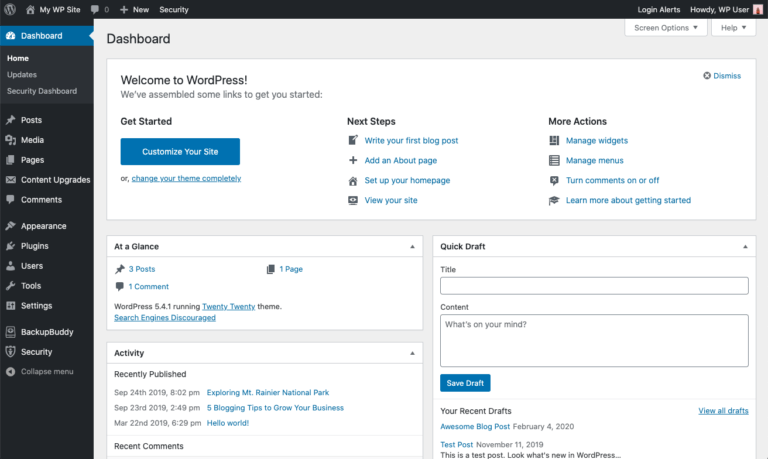
1. WordPress
Once you log in to your WordPress account, you are on the Reader tab by default. Simply click on My Sites and from there you will see the statistics for your blog.
2. Facebook
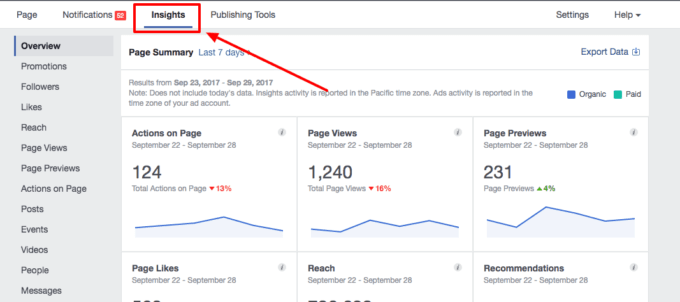
In your Facebook page, a summary of the statistics will appear on the right side of your cover photo: Hovering your mouse pointer over “Post Reach” will give you more insights on which recent post reached the most people: Clicking on the Insights tab will give more in-depth statistics:
a. Overview – contains the summary of statistics about your page
Definition of terms on your Facebook statistics:
Reach: Organic – your posts seen through the page’s wall, shares by users, and the news feed
Reach: Paid – your posts seen through paid ads
Post Clicks – number of clicks done to your posts
Likes, Comments, and Shares – actual interaction done by your audience either through liking the post, commenting on it, or sharing it on their walls.
b. Likes – contains the statistics about the trend of page likes
c. Reach – contains information about the number of people who was reached by your post
d. Visits – contains data of the number of times your page tabs (like the Timeline) are visited
e. Post – contains data showing when (day and time) you site visitors visit your site
f. People – contains statistics about your audience’s demographics (age, location, gender, language, and country). It is also includes demographics about the people you have reached and engaged with.
Demographics refers to the statistics characterizing human population usually divided by age, gender, income, location, and language.
Website operators use website statistics to determine their visitor’s demographic and the time and day they usually log in. These statistics are used to know when a site owner should publish new content and which determine which content could affect more visitors. WordPress offers statistic’s about each post that you made. You can check the blog’s popularity daily, weekly, monthly, and annually. Facebook also offers statistical tools capable of telling the page owner about the page’s performance. It also includes the demographics of the page’s visitors which is essential in creating and posting future content.
PROMOTION, TRACTION AND TRAFFIC MONITORING
In the business world, companies would use site statistics to check how popular their website is and at which day and time they get the most traffic. This way their new content could reach more people.
Clicking on the Insights tab (located at the top of your page) will give you more indepth statistics
a. Overview– contains the summary of statistics about your page
Definition of terms on your Facebook statistics
Reach: Organic-your posts seen through the page’s wall, shares by users, and the news feed
Reach: Paid-your posts seen through paid ads
Post Clicks-number of clicks done to your posts
Likes, Comments, and Shares-actual interaction done by your audience either through liking the post, commenting on it, or sharing it on their wall.
b. Likes-contains the statistics about the trend of page likes
c Reach-contains information about the number of people who was reached your post
d. Visits- contains data of the number of times your page tabs (like the Timeline) are
visited
e. Posts-contains data showing when (day and time) your site visitors visit your site
f. People-contains statistics about your audience’s demographics (age, location, gender, language, and country). It also includes demographics about the people you have reached and engaged with
SUSTAINING AN ICT PROJECT FOR SOCIAL CHANGE
ICT is an acronym which means, Information and Communications Technology. It refers to the technologies used to acquire needed information through telecommunication. It also studies how modern communication technologies affect society. Indeed, ICT is easily accessed and used every day by users. With this idea. Information and Communications Technology gives a chance for people from around the world to communicate; leading to the success of various advocacies.
Information and Communications Technology has different impacts when it is used as a medium for promoting social change. May it be cyber-bullying, promotion for feminism, abolition of slavery, or industrial revolution, ICT gives an opportunity for people to be aware of the problems in the society and offers them the opportunity participate and be part of these social changes.
Sustaining ICT Project for Social Change
-Website contents are regularly updated.
-Developers should conduct a heuristic evaluation
-Consider the recommendations and comments given by evaluators
Steps in updating ICT Project to sustain Social Change
1. Analyze comments and recommendations.
2. Developer may also opt to study and include the comments written by viewers and visitors.
3. Developers should agree on which website element and values will be applied. 4. Discuss to the member how page content and design will be implemented.
5. Developers should carefully examine the page content.
6. Perform changes in the ICT project.
7. Publish any changes made.
8. Monitor accessibility traffic.
Monitoring the Social Impact of the ICT Project
Social Impact – telling the story of changes we bring to people’s lives and organization
Economic Growth – enabling of larger markets coverage.
Political Development – ICT causes developing of transparency, government accountability and reducing corruption.
ICT, THE SELF AND SOCIETY

Information and Communications Technology (ICT), ICT itself have the potential to enrich, and deepen skills, to motivate and engage an individual, to help relate social experiences, as well as strengthening and helping change. The ICT enhance learning environments but also prepare generation for future lives and careers. The use of ICT is key to developing the skills for learning, life and work needed by young people and the society in the modern world.
Every minute, every second of our life, we used to think of using our gadgets. Important matters or not, we are depleted on using such technologies. We do not consider its hazards for us and for the society. People think of it as good as gold but did we consider its risks for us? For our society? Yes, it is very helpful in every way we see it. But as long as we engaged ourselves in gadgets, it is equal as how it affects the lives of the citizens in the society.
However, it is a big help for everyone. ICT can make everyone’s life easy. It could really help the students. We are not illiterate in this area. We are not left behind with those places in the world because we know how to use technologies. Somehow, it can aquire a great way of communication process. We do not have hard times in sending messages or something to other people. Just remember its benefits and risks for us and for the society. We just remember not to go beyond its limits. Overall, ICT is great!
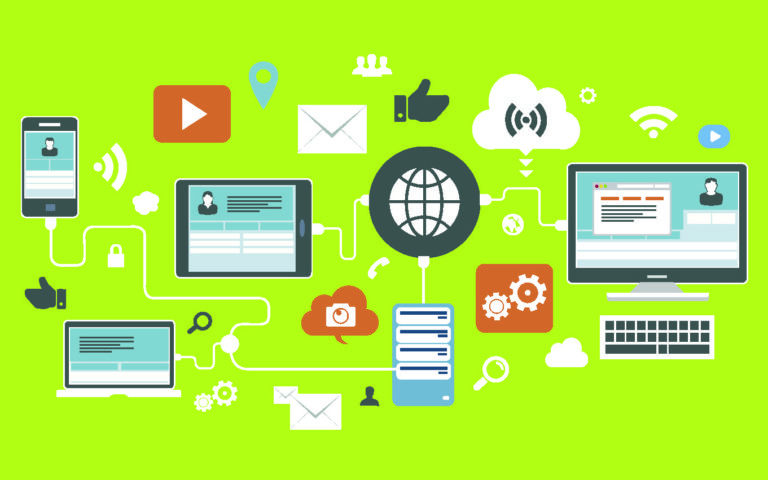
ICT is a big help for everyone. It di have many ussers worldwide. It is a great instrument in spreading such things. It can be a medium for advocacy like giving informations in every tragedy. It can easily spread through social media because it has many users. It can be in a developmental cammunication because there are many ways on how to possibly spread informations. After spreading, you will know how far it goes and its growth on the social media by looking at the number of views it covered. It has the exchange of ideas and its shares on the social media. It is also a great way in giving awareness to everybody by using gadgets such as smart phones and etc.
Nowadays, people are now engaged in using gadgets. Everyday, people are used on waking up then scanning their phones and sometimes they forgot to thank God for the another blessing. Being practical and realistic, ICT changed our daily living. It changed our society to a new and digital world. Gadgets are everywhere and that is the reason why our communication process changed. For us, teenagers, we are now engaged in the big population of social media. Instead of texting, we do have group chats on Facebook. In having relationships, teenager prefers chats and text than the old way of courting. Because of ICT’s, younger people are are now engaged in using gadgets for fun. I can say that the generation now is at risk and so with the next generations.
Submitted by Karrel Rueme G11-Luke
Submitted to Mrs. Gladiola Lilen Flores-Daynos
 My Reflexive Piece
Leave a comment